



Download Animoto Video Maker – video maker, image to video, slideshow maker, video editor, free video software
Overview
Animoto Video Maker is a desktop application designed to simplify the process of transforming a sequence of still images into a polished video presentation. It serves as a practical solution for users who want to create engaging visual content without the complexity of professional video editing tools. The software is particularly useful for individuals seeking to share personal memories—such as travel highlights, family events, or creative projects—through dynamic, shareable videos.
It is ideal for casual users, social media enthusiasts, and content creators who value ease of use and quick turnaround. The application enables users to convert up to 12 images at once, offering a streamlined workflow that minimizes technical barriers. With built-in design templates and music tracks, Animoto helps users add visual flair and audio context to their projects.
The software supports high-quality output, including 1080p resolution, making it suitable for both personal sharing and online platforms like YouTube and social media. Its compatibility with both Windows and Mac systems ensures broad accessibility. The developer did not provide additional information about the company or its background.
Real-world usage scenarios include creating birthday tributes, promotional clips, or digital scrapbooks, all with minimal effort and no prior editing experience required.
Key Features & Capabilities
- Image-to-Video Conversion – Transform a series of static images into a cohesive video with minimal input. The software processes up to 12 images per project, ideal for short, focused narratives.
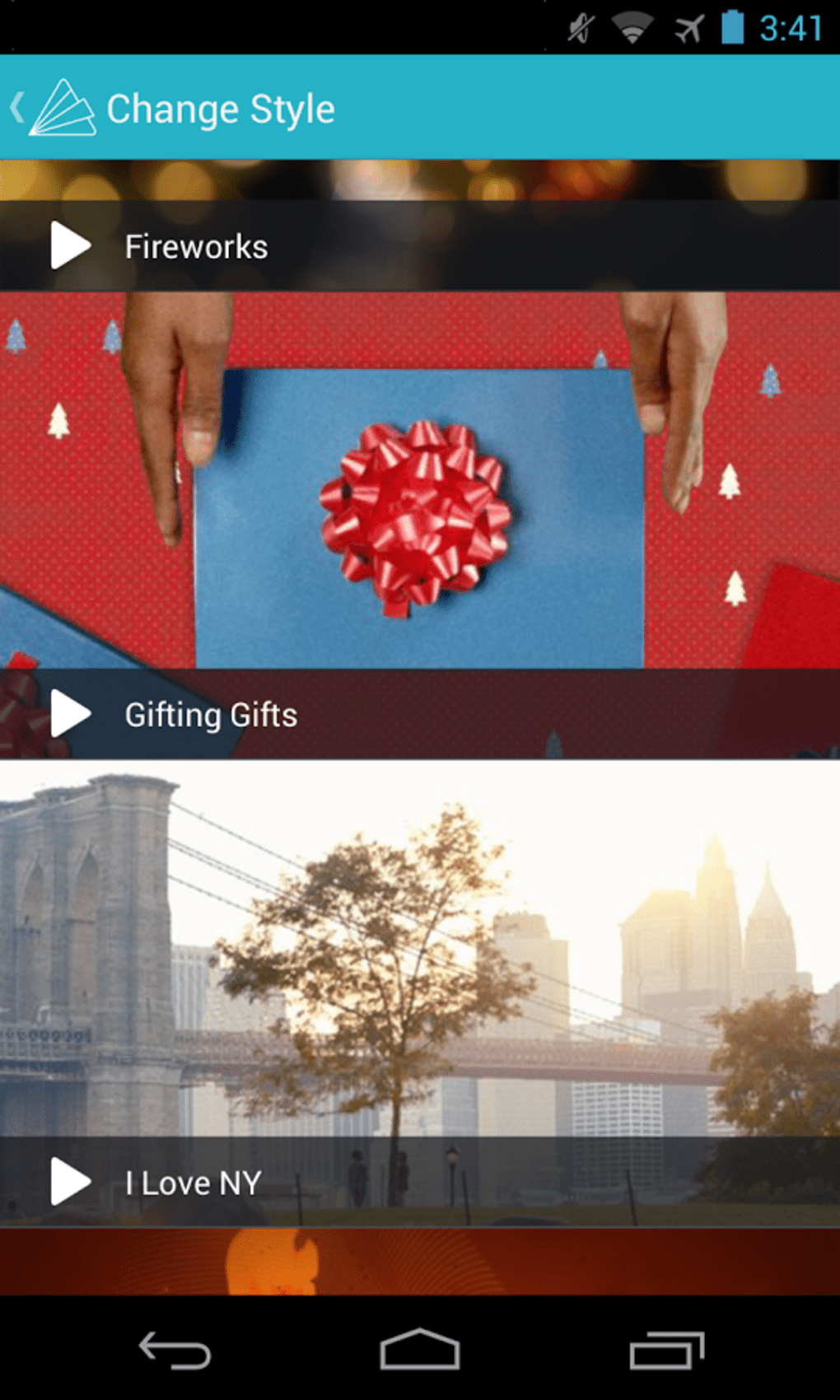
- Template Library – Access a variety of pre-designed styles and layouts to enhance visual appeal. Each template offers unique transitions and pacing to match different moods and themes.
- Integrated Music Library – Choose from a curated collection of royalty-free tracks. The library is updated regularly, ensuring fresh and relevant audio options for every project.
- Text and Caption Tools – Add titles, captions, and intro cards to provide context, highlight key moments, or personalize the video.
- High-Resolution Output – Export videos in 1080p quality, suitable for professional presentation or high-definition playback on modern devices.
- Multiple Export Formats – Save projects in MP4, MOV, and AVI formats, ensuring compatibility with a wide range of platforms and devices.
These features collectively support fast, intuitive content creation. For example, a user can import vacation photos, select a vibrant template, add background music, insert captions for each scene, and export a finished video in under 10 minutes. The software’s focus on simplicity makes it accessible to non-technical users while still delivering visually compelling results. The integration of audio and text tools enhances storytelling, turning simple image sequences into memorable visual experiences.
User Interface, Workflow & Performance
Animoto Video Maker features a clean, minimalist interface designed for intuitive navigation. The main workspace is organized around a timeline-like layout, allowing users to view and manage their images, audio, and text elements in a logical sequence. Navigation is straightforward, with clearly labeled buttons for importing media, selecting templates, and exporting the final video.
The workflow follows a three-step process: upload images, choose a style and music, then export. This structure reduces cognitive load and helps users complete projects efficiently. The software does not require advanced technical knowledge, making it suitable for beginners.
Performance observations are based on general software behavior patterns. The developer did not specify resource usage details, so CPU and RAM behavior remain unknown. Stability during operation was not documented.
However, given the application’s file size of 23.5 MB, it is likely optimized for low system overhead. Users can expect smooth operation on modern systems, though exact performance may vary depending on hardware and image resolution.
Compatibility & System Requirements
Animoto Video Maker is compatible with both Windows and Mac operating systems. The software is available as a desktop application and does not require a web browser to function. The file size is 23.5 MB, indicating a lightweight installation.
The developer did not provide additional system requirements, so users should ensure their system meets basic standards for running desktop applications. Exact hardware specifications, such as minimum RAM or processor speed, were not listed. Compatibility information was partially provided.
It is recommended to run the software on a system with a stable internet connection for accessing the music library and template updates. Offline functionality may be limited to project editing and export, though this was not confirmed. The software was released on May 15, 2024, and the developer did not provide information on update frequency.
Pros and Cons
Pros
- Simple, three-step workflow ideal for beginners
- Supports high-quality 1080p video output
- Offers a wide range of templates and music tracks
- Exports to multiple formats: MP4, MOV, AVI
- Lightweight installation at just 23.5 MB
- Free to download and use
Cons
- Maximum of 12 images per project may limit longer narratives
- No detailed system requirements provided
- Exact performance and resource usage not specified
- Update frequency not disclosed
- Template and music library access requires internet connection
FAQ Section
Is Animoto Video Maker compatible with Windows and Mac?
Yes, the software is compatible with both Windows and Mac operating systems.
Can I use Animoto without an internet connection?
While basic project editing may be possible offline, access to the music library and template updates requires an internet connection.
Is Animoto Video Maker safe to download?
The software is free to download and use. The developer did not provide information on security certifications or scanning, but it is available through official channels.
How often are updates released?
The developer did not provide information on update frequency.
What file formats can I export my video in?
You can export videos in MP4, MOV, and AVI formats.
Final Thoughts
Animoto Video Maker delivers a streamlined, user-friendly experience for transforming images into engaging videos. Its focus on simplicity, combined with high-quality output and multiple export options, makes it a strong choice for casual creators and social media users. The free availability, lightweight size, and cross-platform support enhance its accessibility.
While limitations such as the 12-image cap and lack of detailed system requirements may affect some users, the overall value remains high for those seeking a no-frills video creation tool. The software excels in storytelling through visuals and sound, turning personal photo collections into shareable content with minimal effort. For individuals who want to create polished videos without technical complexity, Animoto Video Maker is a reliable and efficient solution.
Download Animoto Video Maker now.






.png)
